Internal Linking: Find and Create Opportunities
TL;DR: Internal links help Google and AI systems understand your expertise and guide readers to solutions. Create three types of links: resource to resource, resource to commercial, and strategic FAQ…

In this article we will look into the following:
- Why Internal Linking Matters
- Internal Links You Should Actively Create
- How to Find Linking Opportunities
- Make it a Routine
––––––––––––––––––––
1. Why Internal Linking Matters
Internal links connect pages on your site to each other. They do three things:
- Help Google understand your expertise: When you link related content together, Google sees that you have comprehensive coverage on a topic. This helps your content rank better.
- Help AI systems find and cite your content: ChatGPT, Perplexity, and Google's AI Overviews look at how your pages connect to each other. Well-organized, clearly linked content is more likely to be used as a source.
- Keep visitors engaged: Internal links guide readers to related content they actually need, which keeps them on your site longer and moves them closer to conversion.
For more detail, read What is Internal Linking: Actionable Tips and Examples.
––––––––––––––––––––
2. Internal Links You Should Actively Create
- Resource → Resource linking
Link from one blog post or guide to another related resource on the same topic. This shows Google and AI systems that you have multiple pieces of content on the same topic, building topical authority.
Example: A blog post on "Setting Up Payroll Tax Withholding" links to another post on "Common Payroll Mistakes."
- Resource → Commercial linking
Link from resource pages (blogs, guides, whitepapers, etc.) to your commercial pages (solutions, domain pages, target group pages, case studies). This passes authority to commercial pages and helps them rank better. It also helps AI systems understand the connection between your expertise and your products and guides readers toward solutions.
Example: A guide on "Outsourcing vs. In-House Payroll" links to your Payroll Outsourcing solution page.
- Strategic FAQ linking (from commercial pages)
In your solution pages and commercial content, answer FAQ questions briefly – then link to relevant destinations that provide more depth. This could be a detailed blog post, a related solution page, a target group page, or a case study. Links from FAQs pass authority and help search engines, AI systems, and users understand connections between your solutions and educational content.
Example: Your Payroll Solution page has an FAQ: "How do I set up tax withholding?" Answer it in 2-3 sentences, then link to a detailed blog post on that topic. Or link to a another related commercial page.
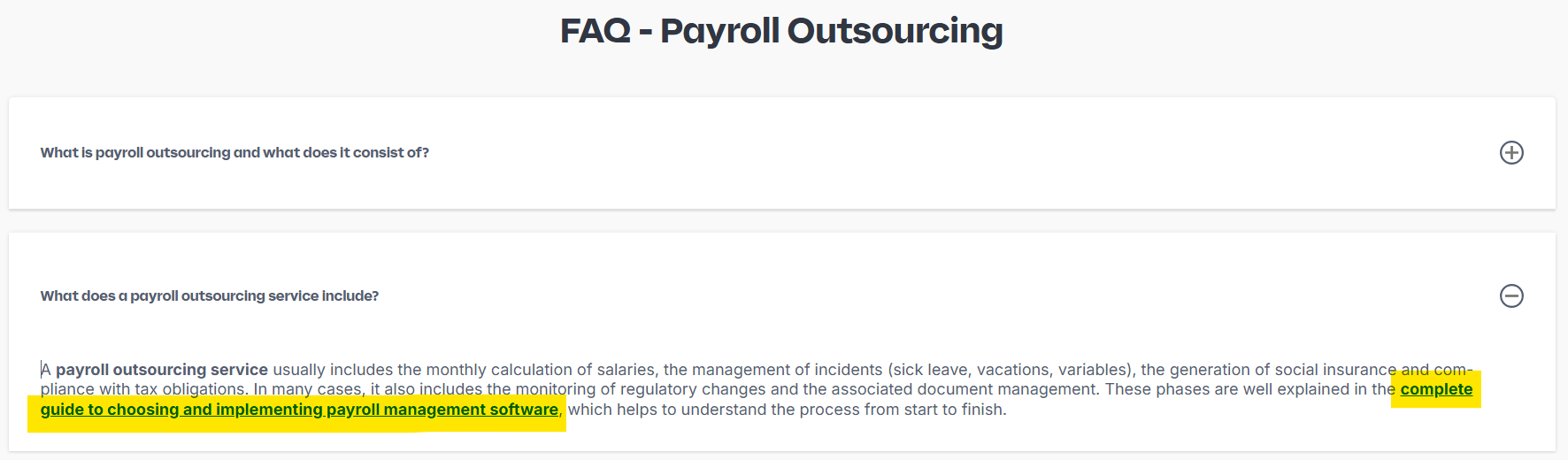
For more on how to place and word these links, see Internal Linking: Best Practices.
––––––––––––––––––––
3. How to Find Linking Opportunities
a) Find pages that need more links:
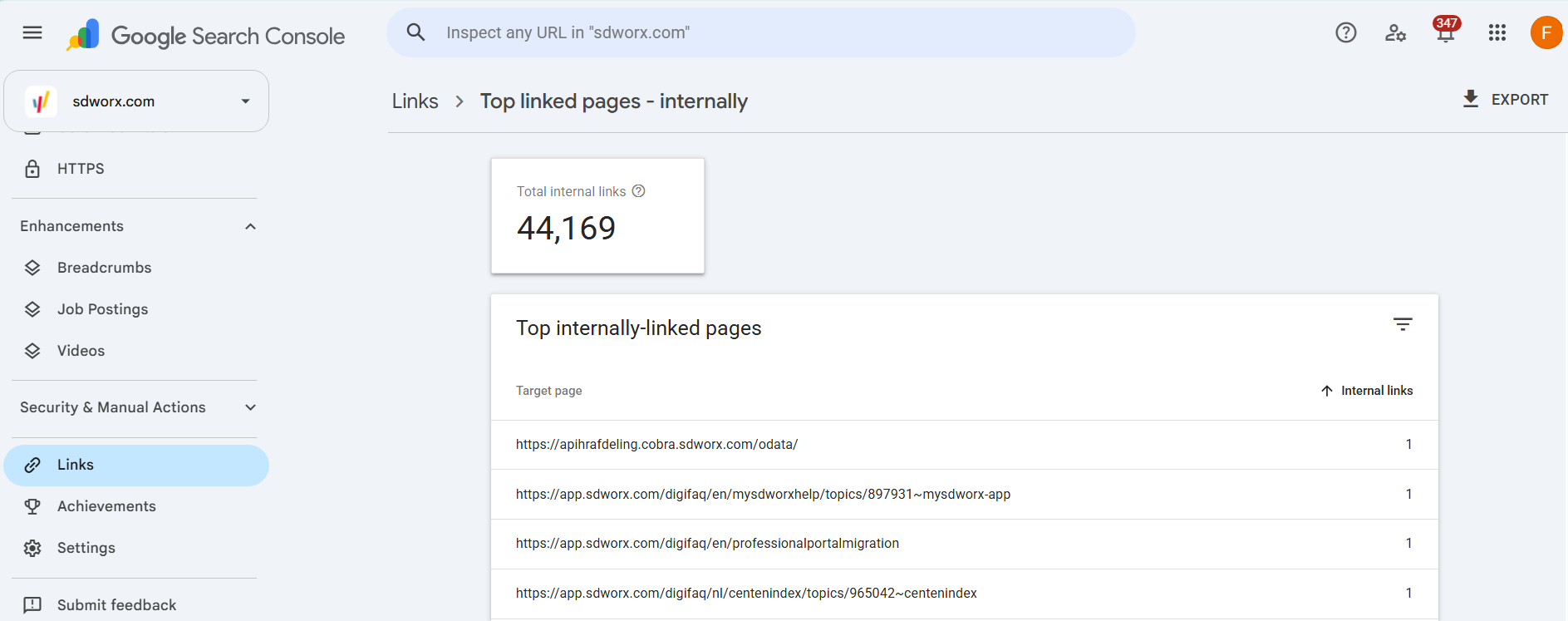
- Open Google Search Console
- Go to Links (left menu, bottom)
- Click More under Internal Links
- Sort by fewest internal links
- Export the list. It will include subdomains and other URLs, so a clean-up is recommended
- Remove the unwanted URLs with any AI tool, using this prompt:
b) Compare what you find with guidelines:
- Commercial pages (solution, domain, target group, case pages): Should have 5-10+ incoming links
- Resource pages (blogs, e-books, guides, podcasts, tools, whitepapers; 1000-2000 words): Should have 2-3+ incoming links and 3-6 outgoing links
- Short resource posts or press releases (<1000 words): 1+ incoming links and 1-3 outgoing links
If a page falls below the guidelines above, add more internal links to it. Start with commercial pages, since they have the biggest business impact.
c) Find related content to link:
Use Google's site search to find all your pages on a topic, using this format:
Example: site:sdworx.com "payroll compliance" – shows all your pages Google knows about that mention this topic. This reveals:
- Resource pages that should link to each other
- Which resources could link to your solution pages
- Resource pages that answer possible FAQs on your solution pages
––––––––––––––––––––
4. Make it a Routine
- When writing or updating resource pages:
Look for opportunities to link to related resources on the same topic (use site search to find what you've already published on the same topic). Where relevant, also link to a solution page that solves the problem discussed in the resource. For example, a blog on payroll processing best practices could link to your Payroll Software solution page.
- When reviewing commercial pages (solutions, domain, target group, case pages):
Check if FAQs answer questions in 2-3 sentences, then link to a detailed resource page that goes deeper. You can also link to related solution pages, target group pages or case studies that illustrate the answer. This builds bridges between your commercial content and both educational and complementary solutions.
- Regular checks (at least once a quarter):
- Are resource pages linking to each other where relevant?
- Are commercial pages linking to the best resource pages?
- Are there any resource pages with zero internal links? Fix those.
––––––––––––––––––––
Key Takeaway
Three link types do most of the work: resource to resource, resource to commercial, and FAQ links from commercial pages. Find the gaps in Google Search Console, use site search to locate related content, and make linking part of your routine.
––––––––––––––––––––
Quick Links:
How did we do?
What is Internal Linking: Actionable Tips and Examples
Internal Linking: Best Practices