Table of Contents
Publication Overview Page - Countries - Drupal
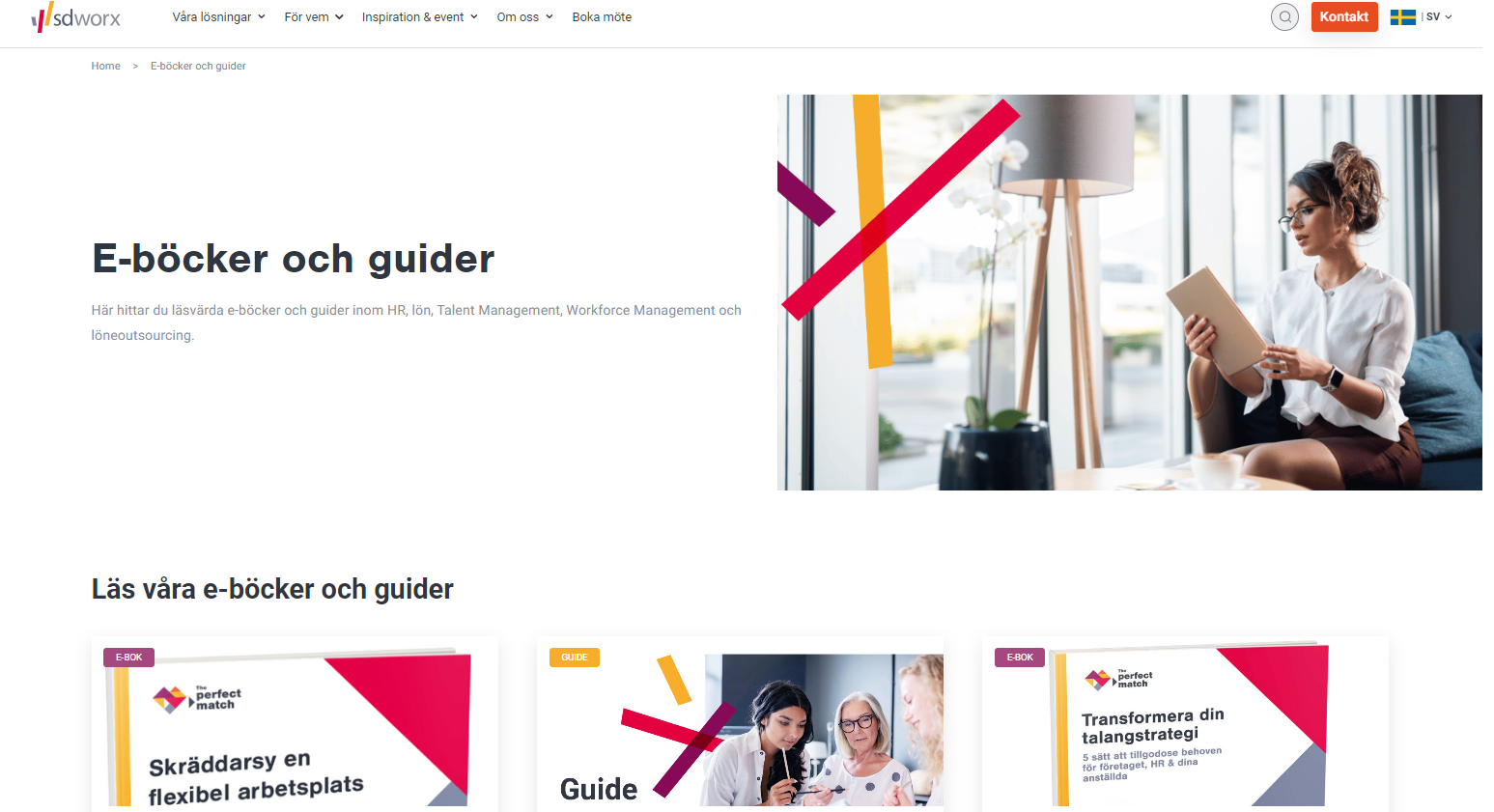
I ntro. This page helps to showcase and provide easy access to different publications item such as whitepapers, guides, eBooks, and studien/research. Guidelines. The page should be located under Insi…

Table of Contents
Intro
This page helps to showcase and provide easy access to different publications item such as whitepapers, guides, eBooks, and studien/research.
Guidelines
- The page should be located under Insights in the Main Navigation.
- There is only 1 publications overview page per country.
- You need at least one publication to create the publication overview page.
Dimensions/Limitations/Specs
- Publications (whitepapers, e-books, research, guide) are automatically added to the Publication Overview page.
- Hero image/Search Image = 960 x 540 in Webp - Please use the officical hero image "Publications_Overview_Page_Hero_960x540.webp"
How to
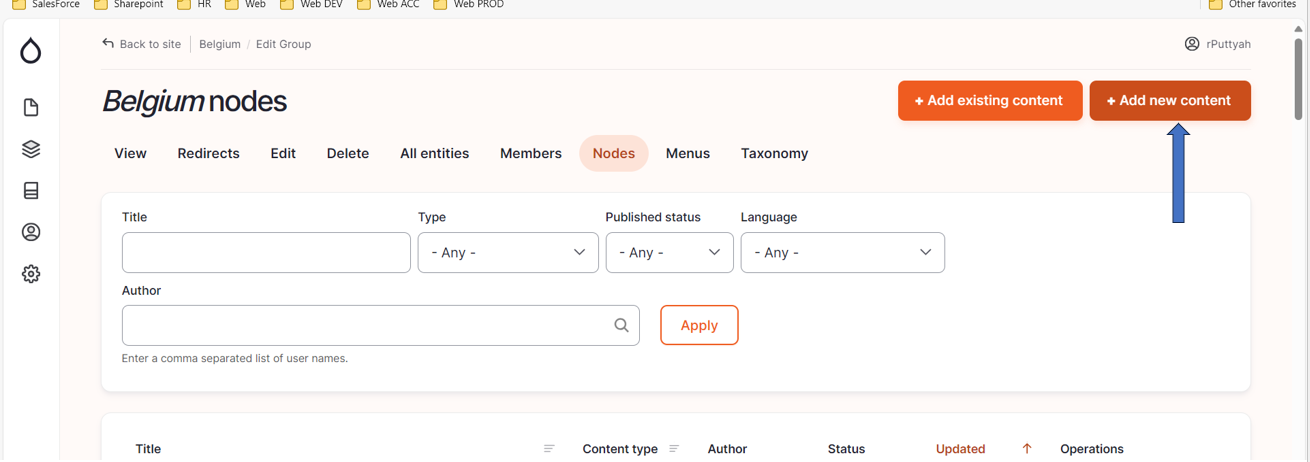
- On Drupal, Select your Country.
- Go to Nodes.
- Click on "+ Add new content".
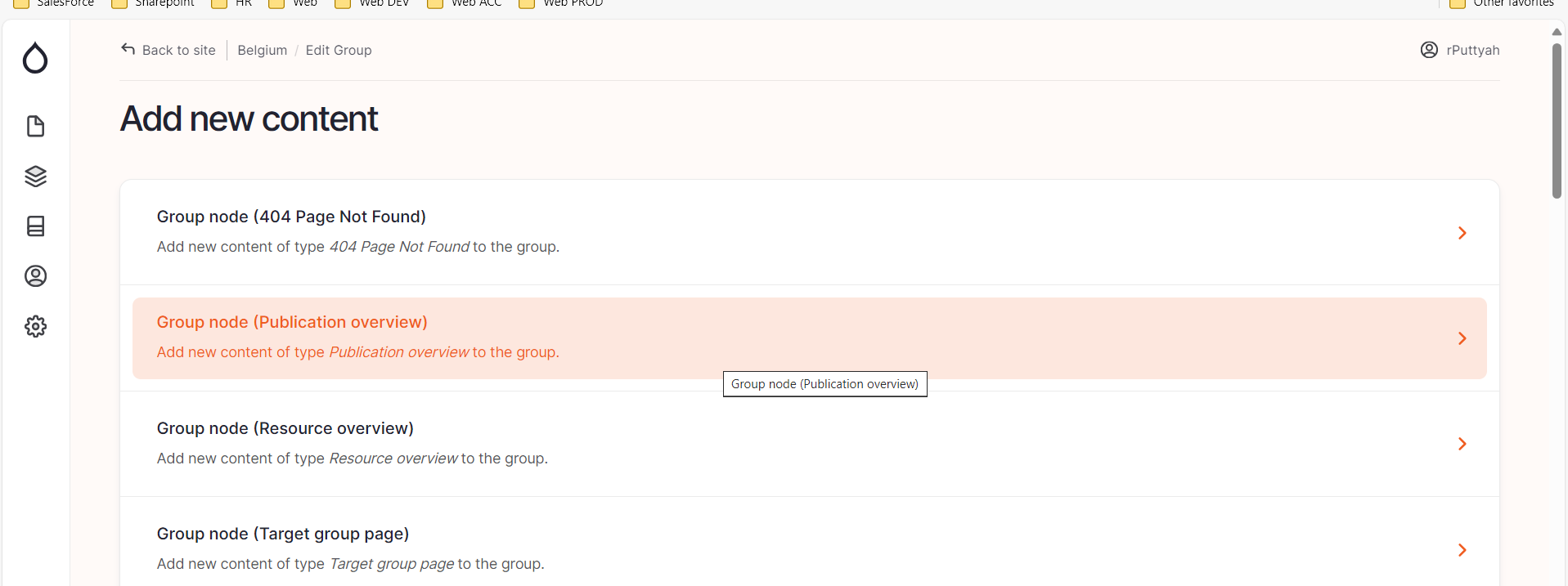
- Select ''Group node "(Publication overview)".
- Please fill the fields below:
Language/Slug/Breadcrumb
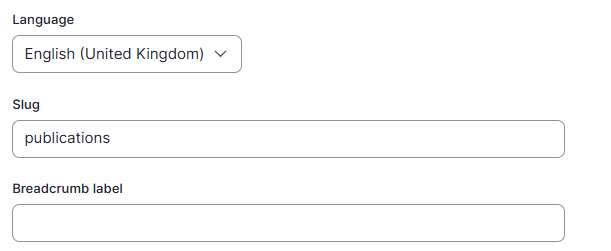
Language: Please select the language in which you want to create the blog
Slug: Please use this field if you want a custom URL (don't forget the - between the words). It will be filled automatically with date and the title if it hasn't been filled.
Breadcrumb label: Please use this field if you want a custom breadcrumb. It will be filled automatically with the page title if it hasn't been filled.
Content
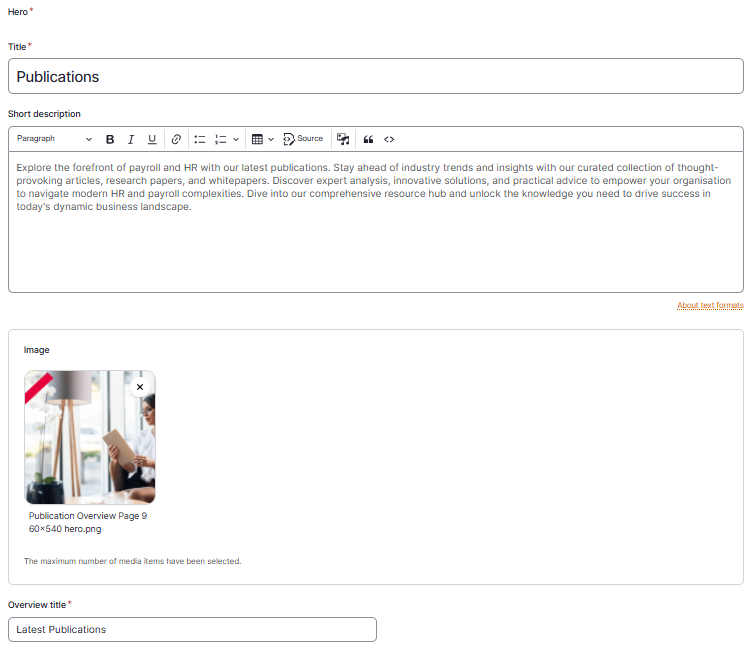

Title: Please provide a clear title for the page such as Publications
Short Description: The short description is showed in the hero section just under the title.
Overview Title: The title appears above the tiles with the different publications. A possibility could "Latest publications"
Search
Search title: Use the same title as on the content tab
Search description: This is the text which appears in the search results of the website itself and in the search results of Google.
Search Image: Use the same image as content tab
Click on “save”

Or do you want to ask to the studio Worx Team? Publication overview page briefing.docx
How did we do?
Blog - Countries - Drupal
Publications - Whitepaper/e-Book/Guide/Study Pages - Countries - Drupal